

WordPress
Header & Footer Builder
Create custom headers, footers, and 404 pages with Elementor.
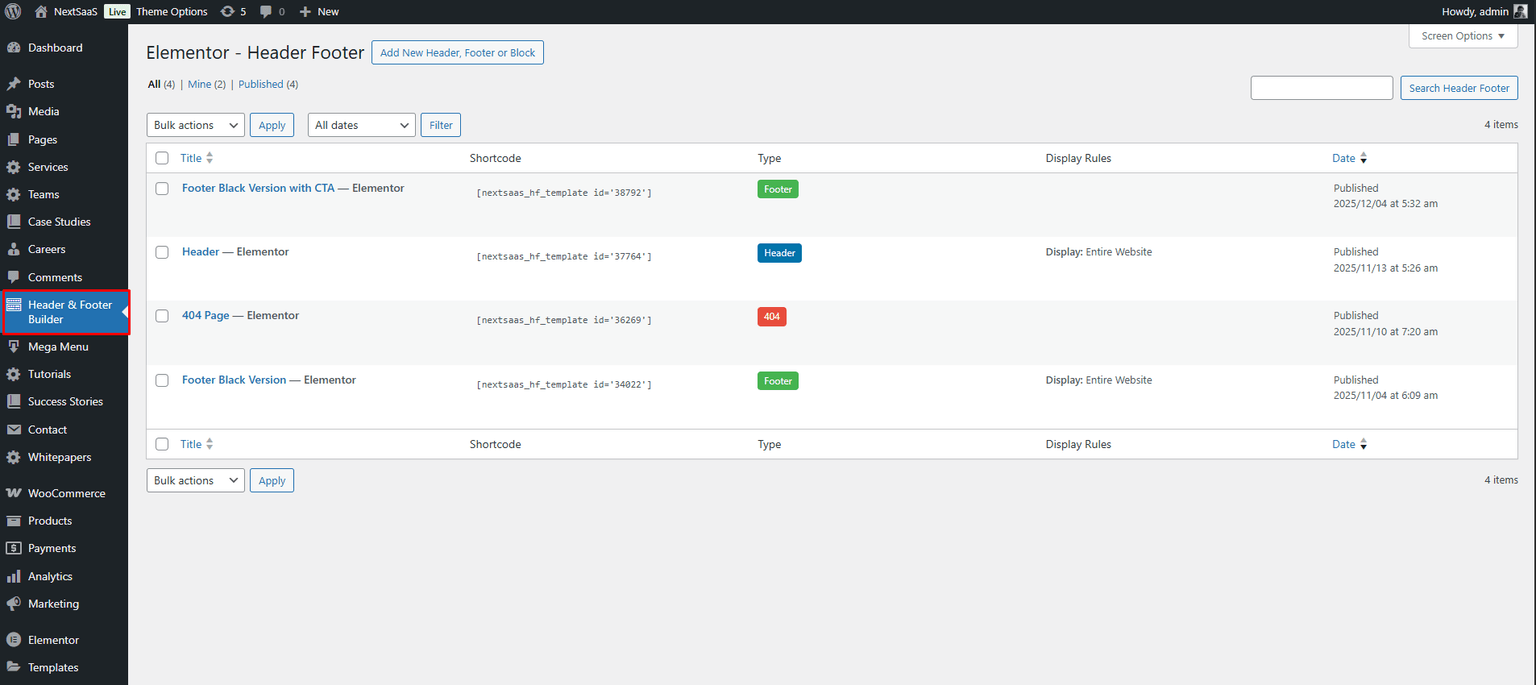
Nexsas includes a Header & Footer Builder that lets you create custom headers, footers, and 404 pages using Elementor.
Overview
When you create templates using Elementor, they appear in theme options so you can assign them globally or per page.
Creating a custom header
Create a new header template
- Go to Header Footer Builder
- Click Add New
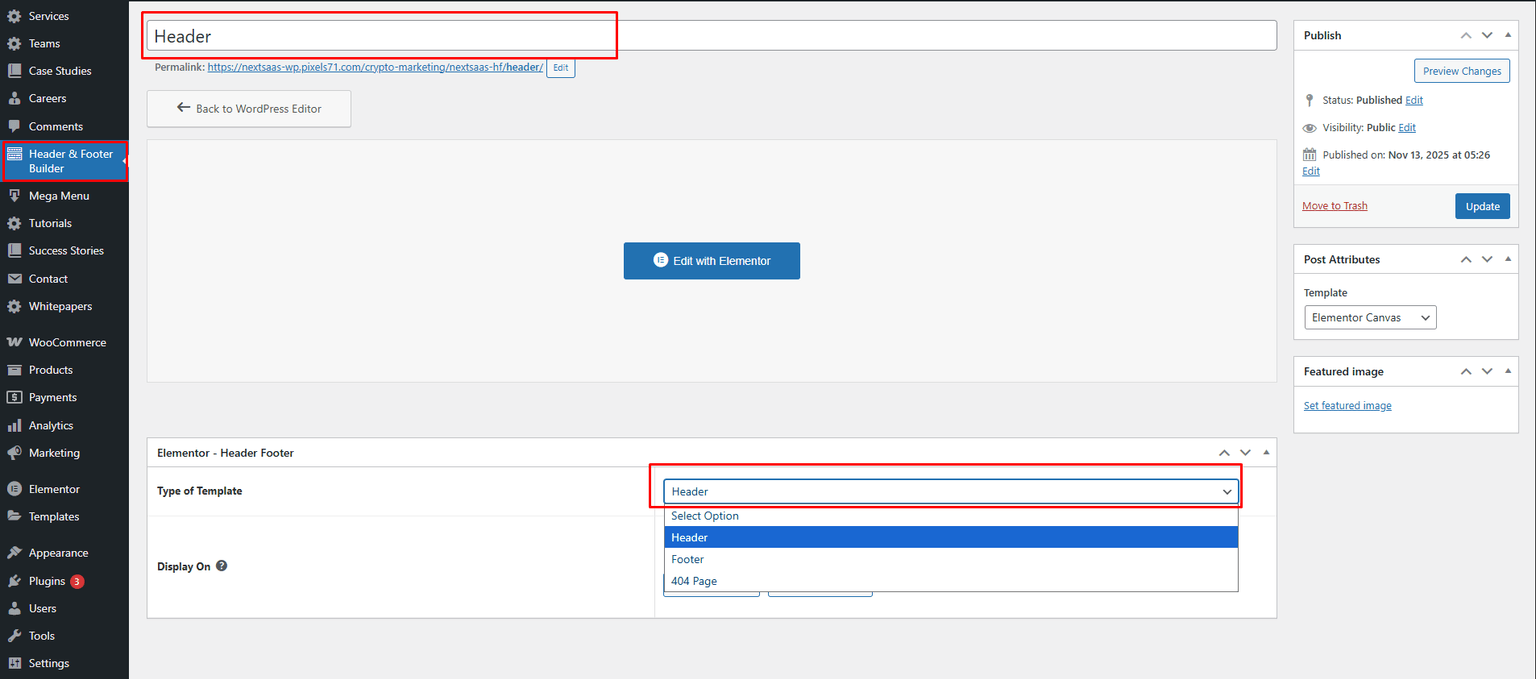
- Name your header (example: “Main Header”)
- Set Type of Template to Header
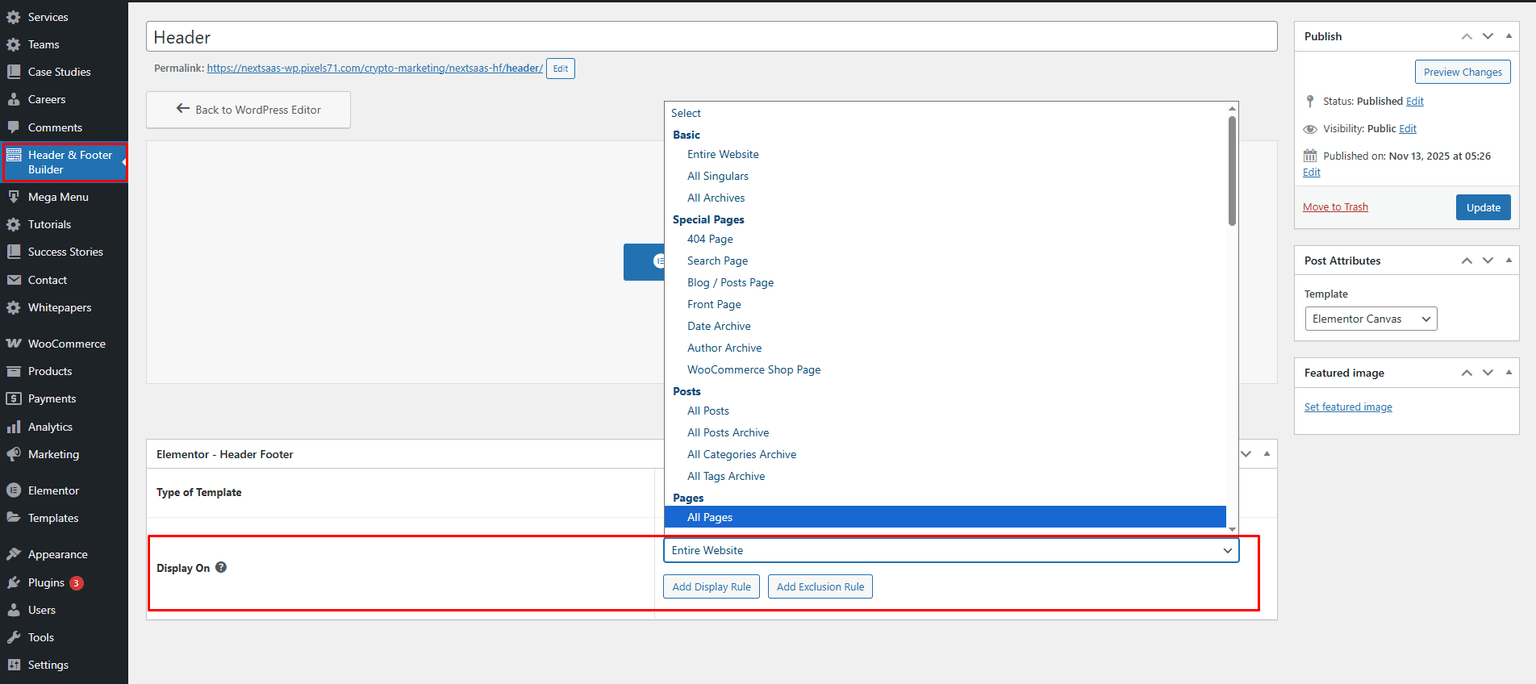
- Set Display On (example: Entire Website)
- Click Publish
- Click Edit With Elementor
Design your header with Elementor
Use Elementor widgets like Logo, Nav Menu, and buttons.
Creating a custom footer
Create a new footer template
- Go to Header Footer Builder
- Click Add New
- Set Type of Template to Footer
- Name your footer
- Set Display On
- Click Publish
- Click Edit With Elementor
Design your footer
Common elements: logo/tagline, links, contact info, social links, newsletter, copyright.
Creating a custom 404 page
- Go to Header Footer Builder
- Click Add New
- Select 404 Page
- Name it and set display condition (404 Page)
- Publish and edit with Elementor
Need help?
Email support: hello@pixels71.com