

WordPress
Theme Update
Update the theme automatically (Envato Market) or manually.
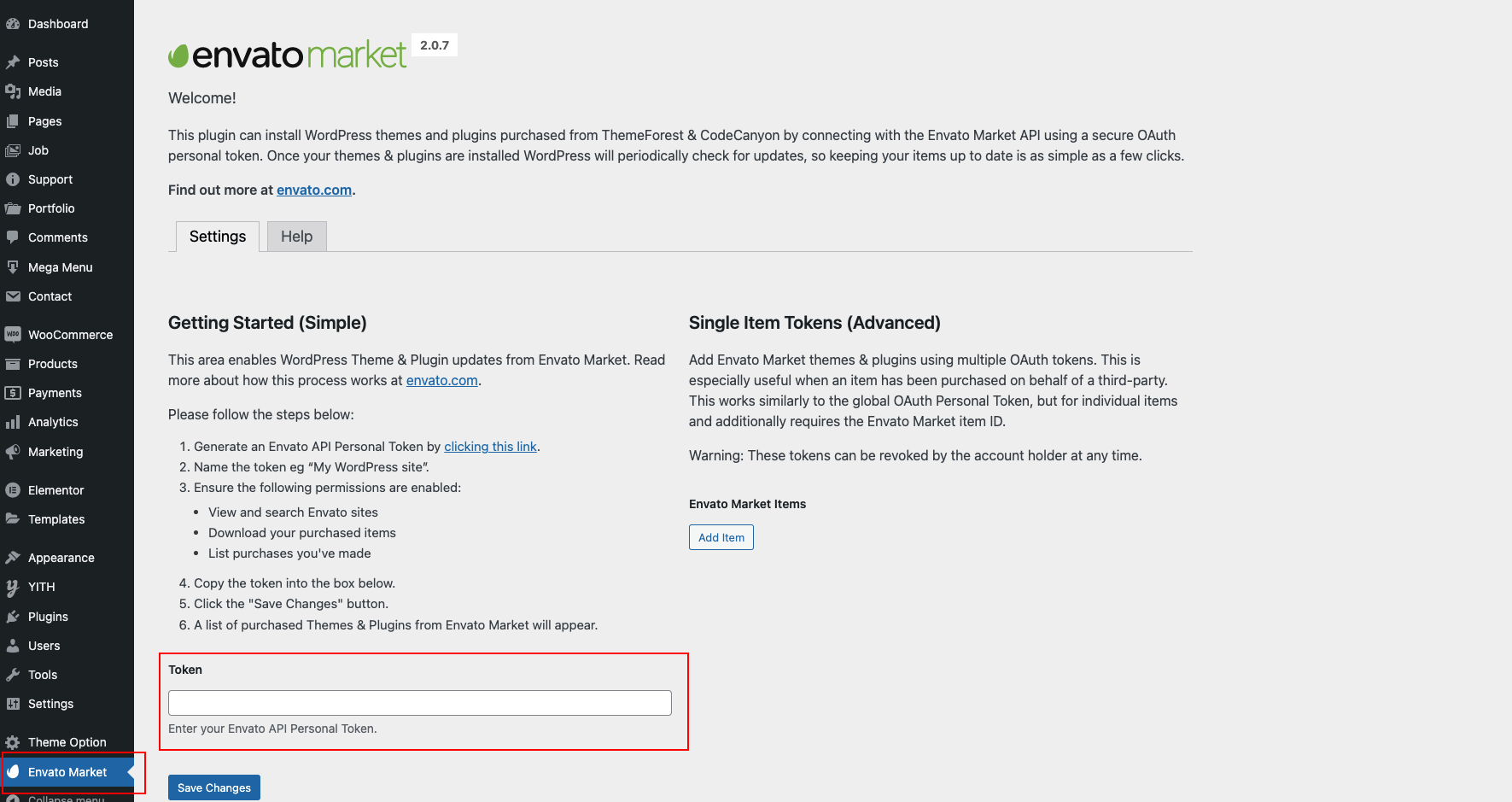
Auto update using Envato Market
- Install the Envato Market plugin
- Go to ThemeForest → Settings → API Keys
- Generate an API key and save it
- Log in to WordPress admin dashboard
- Open Envato Market from the sidebar
- Paste the API key and Save Settings
- You’ll see purchased themes; if an update is available, click Update Automatically
Manual update (WordPress admin)
- Go to Appearance → Themes and temporarily activate another theme
- Delete the existing Nexsas theme (old version)
- Download the latest package from ThemeForest and locate
nexsas.zip - Click Add New → Upload Theme
- Upload the new zip and click Install Now
- Click Activate
Important notes
- Always back up your site before updating
- Theme Options customizations should be preserved
- If you use a child theme, update only the parent theme
- Clear cache after updating and verify the site